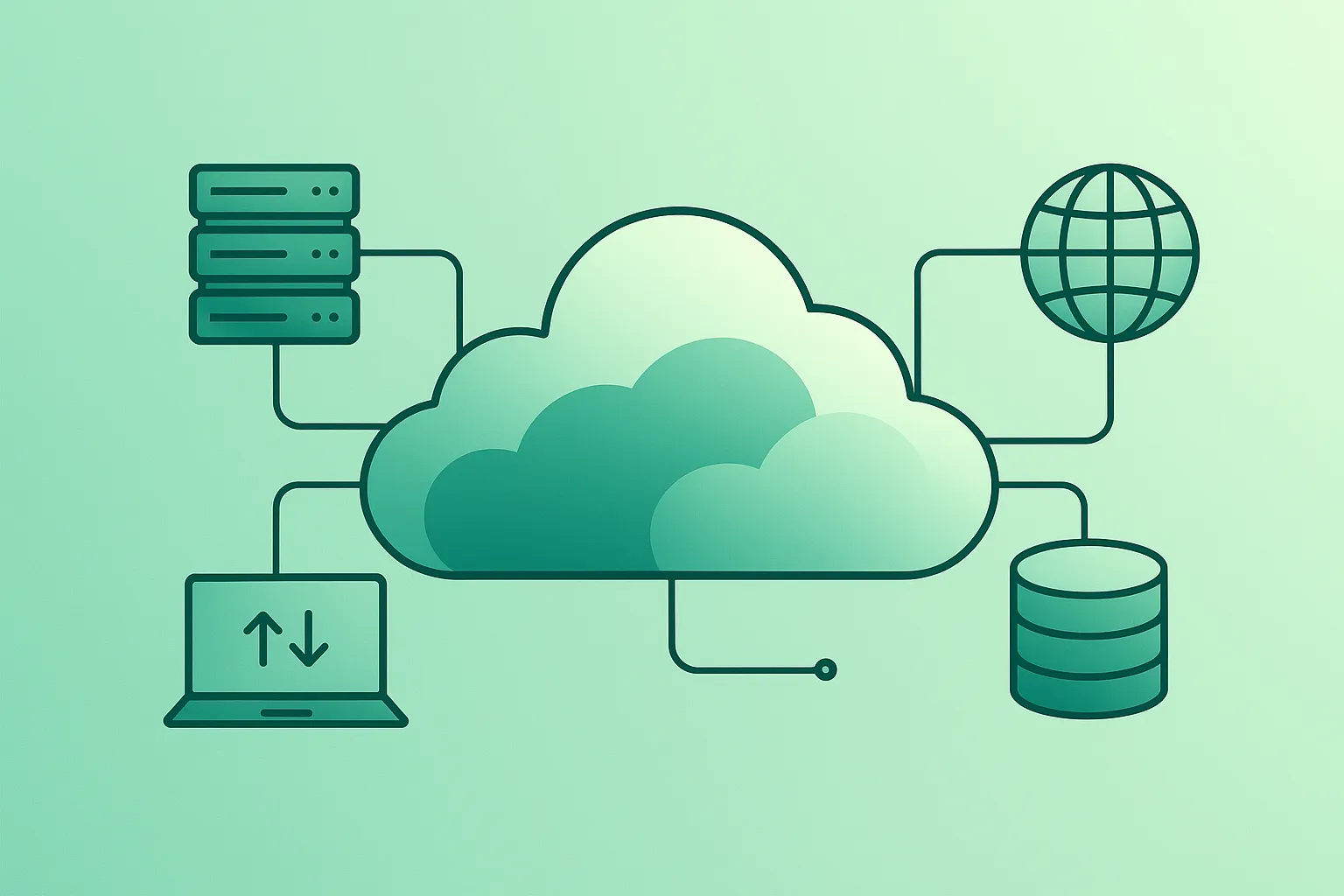
Cloud computing is one of those phrases that everyone seems to use, but few people can explain clearly. You might already be “in the cloud” every day without realising it – when you store photos online, stream movies, or use web-based email.
The goal of this guide is simple: explain cloud computing in plain English, while still being accurate and practical. You’ll learn what the cloud is, how it works behind the scenes, what IaaS/PaaS/SaaS really mean, and how to start using cloud services safely (security) and sensibly (cost).
Cloud in one sentence
Cloud computing is renting computing power, storage, and software on-demand from large providers, so you can build or use services without owning the physical hardware.
1. What Is Cloud Computing?
At its core, cloud computing means using computing resources – servers, storage, databases, networking, and software – over the internet instead of buying and maintaining physical hardware yourself.
A useful mental model is: cloud providers run enormous data centers around the world, then expose “building blocks” (compute, storage, networking, data services) through a web console and APIs. You create what you need, scale up or down, and pay based on usage.
Cloud is not the internet
The internet is the network that connects devices. The cloud is the on-demand computing infrastructure and services you access over that network.
How the cloud fits together (diagram)

2. Key Cloud Computing Concepts in Plain English
Cloud vocabulary can feel overwhelming. The trick is to learn a small set of core ideas that apply everywhere (AWS/Azure/GCP), then map provider-specific names later.
- Data center: A physical building full of servers, storage, and networking equipment.
- Region: A geographic area where the provider operates data centers (e.g., a region in Europe).
- Availability Zone (AZ): Separate locations within a region designed to reduce shared-failure risk.
- Virtual machine (VM): A “software computer” you can start/stop/resize on demand.
- Containers: A lightweight way to package an app with its dependencies for consistent deployment.
- Object storage: A “bucket” style storage for files, backups, logs, images, and static sites.
- Managed database: The provider runs the database platform; you manage data and access, not patching or hardware.
- Load balancer: A traffic “router” that spreads user requests across multiple servers.
- API: A way for systems to talk to each other programmatically (cloud services are heavily API-driven).
- Serverless: Run code without managing servers; billed for execution (great for event-driven workloads).
- IAM (Identity & Access Management): The system that controls who can do what in your cloud account.
Beginner pitfall
Most cloud security incidents are not “cloud hacks.” They are account and configuration problems: overly permissive access, public data buckets, weak passwords, or missing MFA.
3. Main Types of Cloud Computing
“Cloud” can mean both service models (what you rent) and deployment models (where it runs). Beginners often mix these up, so here’s the clean breakdown.
IaaS vs PaaS vs SaaS (service models)

- IaaS (Infrastructure as a Service): You rent compute, storage, networking. You manage OS and application.
- PaaS (Platform as a Service): The provider manages more platform details; you focus mostly on your app.
- SaaS (Software as a Service): A full app you use (email, CRM, project tools). You mostly manage settings and users.
Public vs Private vs Hybrid vs Multi-cloud (deployment models)
- Public cloud: Shared provider infrastructure (most common meaning of “cloud”).
- Private cloud: Cloud-style tooling on dedicated infrastructure for one organization.
- Hybrid cloud: Mix of on-prem and public cloud with connectivity between them.
- Multi-cloud: Using more than one provider (often for business strategy, resilience, or constraints).
As a beginner, you do not need to master all models. Start by understanding public cloud basics, then learn why hybrid exists (legacy constraints, compliance, latency) and why multi-cloud is often an organizational decision rather than a beginner requirement.
4. How Cloud Computing Works Step by Step
Under the hood, cloud platforms are complex. But at a high level, most cloud usage follows a predictable pattern: authenticate, provision resources, connect them securely, monitor usage, and pay based on consumption.
- Provider builds infrastructure: Data centers, servers, networking, cooling, physical security.
- Resources are virtualised: Hardware is pooled and split into many isolated virtual environments.
- Services are exposed: You use a console and APIs to create VMs, storage, databases, load balancers, etc.
- You configure access: IAM roles, permissions, and network rules decide who can reach what.
- Usage is metered: Compute time, storage size, requests, and data transfer are measured.
- You pay for what you use: Shut down resources and costs usually drop (with exceptions like storage retention).
The “bill shock” rule
Beginners should assume: anything left running 24/7 will cost money. Always set budgets/alerts and delete test resources you no longer need.
5. Real-World Examples of Cloud Computing You Already Use
Even if you never opened a cloud console, you likely use cloud-powered services daily:
- Online storage: backups and file sync across devices.
- Streaming platforms: large-scale media delivery and recommendations.
- Email and collaboration: webmail, calendars, document editing, team chat.
- Websites and webshops: hosting, databases, payment processing, analytics.
- Mobile apps: user accounts, push notifications, file uploads, and real-time messaging.
Real-life example
When you upload photos to an online drive, collaborate on a shared document, or stream a film, you are using cloud computing. You don’t see the servers – you just see the result.
6. Benefits of Cloud Computing
Cloud is popular because it solves recurring IT problems when used with good defaults: you gain speed, flexibility, and often better reliability than a small on-prem setup can deliver.
- Scalability: handle spikes by scaling up, then scale down when demand drops.
- Lower upfront costs: no big hardware purchase to start a project.
- Faster experimentation: create environments in minutes, not weeks.
- Global reach: host closer to users; reduce latency and improve experience.
- Managed services: backups, patching, and maintenance handled by the provider (to a point).
- Resilience options: multi-zone designs, managed failover, and disaster recovery patterns.
The biggest benefit for beginners is often access: you can learn modern infrastructure and deploy real projects without owning servers or building a data center.
7. Risks, Limitations & Common Myths
The cloud is powerful, but it is not magic. Understanding the trade-offs early prevents expensive mistakes.
- Vendor lock-in: provider-specific services can make switching harder later.
- Cost surprises: unused resources, over-provisioning, and data transfer add up quickly.
- Outages still happen: no provider has 100% uptime; design for failure still matters.
- Security misconfigurations: public storage and weak access controls are common causes of incidents.
- Compliance and data location: data residency and audit requirements may constrain choices.
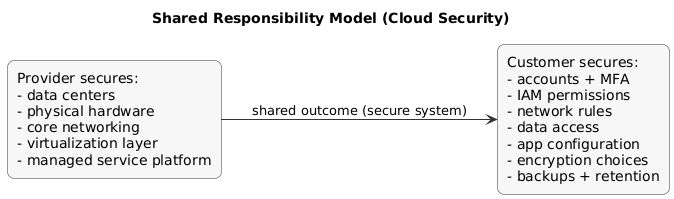
The shared responsibility model (diagram)
Watch out
The cloud does not automatically make everything secure, cheap, or fast. It gives you powerful tools – but you still need good access control, safe defaults, monitoring, and basic cost hygiene.
8. How to Start Using Cloud Computing as a Beginner
You don’t need to be an IT professional to benefit from cloud computing. Start with low-risk, high-learning actions:
Beginner safe-start checklist
- Enable MFA on your cloud account (non-negotiable).
- Set a budget and alerts before you create resources.
- Use strong unique passwords and a password manager.
- Keep experiments small and time-limited (delete resources after testing).
- Be careful with public access on storage buckets and databases.
First practical projects (no heavy coding required)
- Static website: host a simple portfolio site with object storage + CDN (great learning value).
- Backup workflow: upload important documents with correct permissions and versioning enabled.
- Serverless demo: a small function triggered by an upload event (learn event-driven patterns).
Pro tip
Do one small end-to-end project and document it (what you built, security choices, cost controls). This is more valuable than many hours of theory.
If you are learning cloud for professional work, you will quickly run into migration and cost topics. These guides help: Cloud Migration Step-by-Step and Cloud Cost Optimization.
9. Learning Path If You Want a Cloud Career
If you want to work as a cloud engineer, DevOps engineer, or architect, use a structured progression: fundamentals → core services → automation → reliability and cost.
- Step 1 – Networking basics: IP, DNS, HTTP, TLS, firewalls.
- Step 2 – Linux basics: commands, permissions, processes, logs.
- Step 3 – Scripting: Python or shell for automation.
- Step 4 – One provider first: AWS or Azure or GCP; learn compute/storage/networking.
- Step 5 – IAM + security: least privilege, MFA, secrets, audit logs.
- Step 6 – Infrastructure as Code: versioned infrastructure, reviews, repeatability.
- Step 7 – Portfolio projects: document architectures, costs, monitoring, and trade-offs.
10. Cloud at Work: How It Changes Everyday Jobs
Cloud computing affects many roles beyond IT. It changes how teams collaborate and how quickly products can ship. Even non-technical teams benefit from cloud tools that enable remote work, automation, and analytics.
- Remote work: collaboration tools and shared documents.
- Faster projects: infrastructure provisioned quickly instead of procurement cycles.
- Data-driven decisions: analytics and reporting platforms.
- Automation: workflows, integration tools, and event-driven processes.
- New roles: cloud engineer, SRE, DevOps, and FinOps specialist.
11. Frequently Asked Questions About Cloud Computing
What is cloud computing in simple terms?
Cloud computing means using IT resources like storage, servers, databases, and software over the internet instead of owning and maintaining physical hardware yourself. You rent what you need from a provider and pay only for what you use.
What is the difference between IaaS, PaaS and SaaS?
IaaS gives you building blocks (VMs, networks, storage). PaaS manages more of the platform so you focus on your code. SaaS is a complete app you use, where the provider handles almost everything.
Is cloud computing safe?
Major providers invest heavily in security, but security is shared. You must secure your accounts, access rules, and data permissions. Misconfigurations are a bigger risk than the platform itself.
Is cloud computing always cheaper than on-premises?
Not automatically. It can be cheaper for variable workloads and when avoiding upfront hardware. But leaving resources running, over-provisioning, and data transfer can make it expensive.
Which cloud provider should I learn first?
Start with AWS, Azure, or GCP—ideally whichever your employer or target industry uses. Core concepts are similar, so switching later is easier once fundamentals are solid.
12. Final Thoughts & Next Steps
Cloud computing is already part of everyday life. The good news is you do not need to be a system administrator to understand the basics. Start small, stay safe (MFA + permissions), and stay cost-aware (budgets + cleanup).
Next steps: deploy one small project, document it, and then deepen knowledge with security, automation, and cost control. You can explore more resources in the Cloud Computing guides section.
Key cloud terms (quick glossary)
- Cloud Computing
- Delivery of computing services over the internet on a pay-as-you-go basis.
- IaaS
- Rent compute/storage/networking. You manage OS and applications.
- PaaS
- Provider manages more platform details; you focus on application code.
- SaaS
- Complete application delivered over the internet; you manage users and settings.
- Region & Availability Zone
- A region is a geographic area; an AZ is an isolated location within a region for resiliency.
- IAM
- Identity and access control system that governs permissions and authentication.
- Serverless
- Run code without managing servers; billed for execution time and requests.
- Shared Responsibility Model
- Provider secures infrastructure; customer secures accounts, access, data, and configuration.
Worth reading
Recommended guides from the category.
