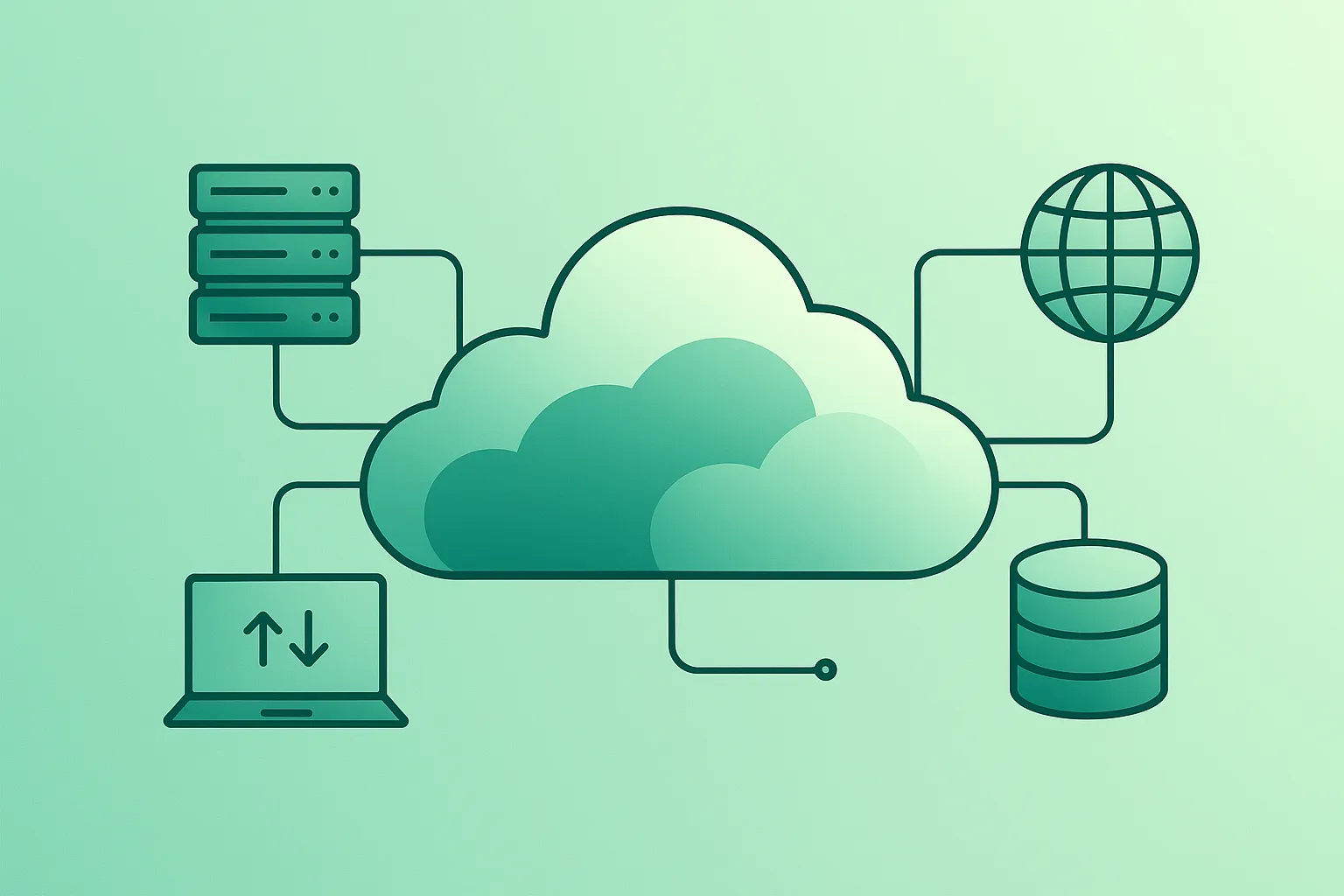
Cloud computing is one of those phrases that everyone seems to use, but few people can explain clearly. You might already be “in the cloud” every day without realising it – when you store photos online, stream movies, or use web-based email.
The goal of this guide is simple: to explain cloud computing in plain English so that anyone can understand what it is, how it works behind the scenes, and how to start using it safely and sensibly – whether you are a student, professional, small business owner, or simply curious about modern technology.
1. What Is Cloud Computing?
At its core, cloud computing means using computing resources – such as servers, storage, databases, networking, and software – over the internet instead of owning and managing physical hardware yourself.
In simple terms, you can think of the cloud as:
- Computers you rent instead of own – someone else runs the data centers, and you access them through the internet.
- On-demand IT services – you pay only for what you use, a bit like electricity or mobile data.
- A flexible toolbox – you can quickly add or remove resources when your needs change, without buying new hardware.
Traditional IT meant buying servers, putting them in a room, and maintaining them for years. Cloud computing moves most of that work to specialised providers such as AWS, Microsoft Azure, or Google Cloud.
2. Key Cloud Computing Concepts in Plain English
When you read about the cloud, you’ll see a lot of jargon. Here are some of the most important terms explained in a beginner-friendly way:
- Data center: A building full of servers, storage, and networking equipment. Cloud providers run huge data centers around the world.
- Virtual machine (VM): A “software computer” running on a physical server. You can start, stop, and resize VMs on demand.
- Storage: Services to save files, backups, and databases in the cloud instead of on your laptop or local server.
- Region: A geographical area (for example “eu-west-1”) where a cloud provider has data centers. You often choose a region close to your users.
- IaaS (Infrastructure as a Service): The provider gives you raw building blocks like virtual machines, storage, and networks.
- PaaS (Platform as a Service): The provider manages more of the platform for you (runtime, scaling, updates), so you can focus on your application code.
- SaaS (Software as a Service): Complete applications you access via a browser or app (for example email, CRM, project management tools).
- Pay-as-you-go: You are billed based on actual usage (for example per hour, per GB, or per request) instead of big upfront purchases.
- Scalability: The ability to automatically handle more users or data by adding more resources when needed – and removing them when traffic goes down.
3. Main Types of Cloud Computing
Cloud computing is a broad term, but you will often hear about a few main types and deployment models:
- Public cloud: Shared infrastructure run by providers like AWS, Azure, or Google Cloud. You rent resources alongside many other customers. This is what most people mean by “the cloud”.
- Private cloud: Cloud technologies used on hardware dedicated to one organisation. It can be in your own data center or hosted by a provider.
- Hybrid cloud: A mix of on-premises infrastructure and public cloud. Data and applications can move between the two.
- Multi-cloud: Using services from more than one cloud provider (for example AWS and Azure together) – often for flexibility or to avoid lock-in.
- Serverless: You run code without managing servers at all. The provider handles provisioning and scaling; you’re billed only for the time your code actually runs.
As a beginner, you don’t need to master every model. It’s enough to know that different options exist for different needs and levels of control.
4. How Cloud Computing Works Step by Step
The internal details can be complex, but most cloud services follow a similar high-level pattern:
- Provider builds infrastructure: The cloud provider invests in data centers, servers, networking, cooling, and security.
- Resources are virtualised: Physical servers are split into many virtual machines and managed by software.
- Services are exposed via APIs and consoles: You get a web interface and APIs where you can create virtual machines, databases, storage buckets, and more.
- You create and configure resources: You choose a region, select sizes, set access rules, and connect services together.
- Usage is metered: The provider measures how much CPU, storage, network traffic, or requests you consume.
- You receive a monthly bill: You pay for what you used, similar to other utilities. If you shut resources down, costs go down.
As an end user, you usually interact only with the console, web apps, or APIs. You rarely think about the individual machines or cables powering it all – and that’s exactly the point.
5. Real-World Examples of Cloud Computing You Already Use
Even if you never logged into a cloud provider’s console, you probably use the cloud multiple times a day:
- Online storage: Services where you store photos, documents, and backups instead of keeping everything only on your device.
- Streaming platforms: Movies, series, and music platforms that deliver content to you from massive cloud-based media libraries.
- Email and collaboration tools: Webmail, calendars, online office suites, and chat tools all run on cloud infrastructure.
- Websites and webshops: Many modern websites and e-commerce stores run on cloud-hosted servers and managed services.
- Gaming: Online multiplayer games and game streaming platforms often rely on cloud servers close to players.
- Mobile apps: Many apps use cloud backends to store user data, sync between devices, and send notifications.
Real-life example
When you upload holiday photos to an online drive, watch a film on a streaming service, or collaborate on a shared document with colleagues, you are using cloud computing. You don’t see the servers – you just see the result.
6. Benefits of Cloud Computing
Cloud computing is popular because, when used well, it solves several long-standing IT problems:
- Scalability: You can quickly add more capacity when traffic spikes and reduce it again when things are quiet.
- No large upfront costs: Instead of buying expensive hardware, you pay monthly for what you use.
- Faster experimentation: Developers can spin up test environments in minutes instead of waiting weeks for new hardware.
- Global reach: Hosting applications closer to your users reduces latency and improves performance.
- Managed services: Many cloud services handle backups, patching, and updates for you.
- Resilience: Built-in options for redundancy, automatic failover, and backups help keep systems running.
7. Risks, Limitations & Common Myths
The cloud is powerful, but it is not magic. There are important limitations and trade-offs:
- Vendor lock-in: The more you use provider-specific services, the harder it can be to move to another platform later.
- Cost surprises: Leaving unused resources running or moving large amounts of data can lead to unexpectedly high bills.
- Outages still happen: Cloud providers aim for high uptime, but no system is 100% perfect. Designing for failure is still necessary.
- Security misconfigurations: Many incidents are caused by incorrectly configured access rules or publicly exposed data, not by the cloud platform itself.
- Compliance and data location: Laws and regulations may require certain data to stay in specific regions or systems.
Watch out
The cloud does not automatically make everything secure, cheap, or fast. It gives you powerful tools – but you still need good design, monitoring, and basic security hygiene (strong passwords, multi-factor authentication, sensible access control).
8. How to Start Using Cloud Computing as a Beginner
You don’t need to be an IT professional to benefit from cloud computing. Here are practical ways to get started:
- Personal backups: Use reputable cloud storage to back up important photos and documents in addition to local copies.
- Productivity tools: Try online office suites, task managers, and collaboration tools instead of only desktop software.
- Small business websites: Host your website or portfolio on a cloud-based platform instead of a manually managed server.
- Free tiers for learning: Major providers offer free tiers so you can experiment with virtual machines, databases, and serverless functions without big costs.
- Focus on one provider at first: Pick a major provider and learn their basic services – compute, storage, networking, and databases.
To use cloud services safely, keep these guidelines in mind:
- Enable multi-factor authentication (MFA) on your accounts.
- Use strong, unique passwords and a password manager.
- Regularly review which resources you are running and delete what you no longer need.
- Be careful with public access settings for storage and databases.
Pro tip
Create a small, realistic practice project – for example a simple static website or a to-do list app – and deploy it to the cloud. You’ll learn more from one small end-to-end project than from watching hours of theory alone.
9. Learning Path If You Want a Cloud Career
If you want to go beyond using cloud tools and actually work in cloud engineering, DevOps, or architecture, here is a realistic learning path:
- Step 1 – IT and networking basics: Understand IP addresses, DNS, firewalls, HTTP, and how the internet works.
- Step 2 – Get comfortable with Linux: Many cloud servers run Linux. Learn basic commands, file permissions, and process management.
- Step 3 – Learn one programming or scripting language: Python, JavaScript, or a shell scripting language is often enough to start automating simple tasks.
- Step 4 – Choose a primary cloud provider: Pick AWS, Azure, or GCP and work through their beginner certifications or learning paths.
- Step 5 – Practice with core services: Virtual machines, object storage, managed databases, load balancers, and serverless functions.
- Step 6 – Learn infrastructure as code: Tools like Terraform or provider-specific templates let you describe infrastructure in code and version control.
- Step 7 – Build portfolio projects: Host small applications, set up CI/CD pipelines, and document what you built. These projects are extremely valuable when applying for jobs.
On All Days Tech, I aim to publish beginner-friendly guides that follow this path step by step. You can explore more resources in the Cloud Computing guides section .
10. Cloud at Work: How It Changes Everyday Jobs
Cloud computing doesn’t just affect IT departments – it changes how many people work, even in non-technical roles:
- Remote work: Cloud-based collaboration tools make it easier to work with colleagues from anywhere.
- Faster projects: Teams can get the infrastructure they need quickly instead of waiting for hardware procurement.
- Data-driven decisions: Cloud analytics tools help companies gather and analyse data from many sources.
- Automation: Repetitive tasks in finance, marketing, support, and operations can be automated using cloud-based workflows.
- New roles: Jobs like cloud engineer, DevOps engineer, site reliability engineer (SRE), and FinOps specialist did not exist widely a decade ago.
No matter your profession, basic cloud literacy – knowing what’s possible, what the main terms mean, and where the risks are – is becoming a valuable skill.
11. Frequently Asked Questions About Cloud Computing
What is cloud computing in simple terms?
Cloud computing means using IT resources like storage, servers, databases, and software over the internet instead of owning and maintaining physical hardware yourself. You rent what you need from a provider and pay only for what you use.
Do I need to be a programmer to use cloud computing?
No. Many cloud-based tools are built for non-technical users: email, office suites, collaboration platforms, CRM systems, and more. Programming becomes important if you want to build applications or specialise in cloud engineering, but you can still benefit from the cloud without writing code.
Is cloud computing safe?
Leading cloud providers invest heavily in security, but security is always a shared responsibility. The provider secures the infrastructure; you must secure your accounts, data, and configuration. Using strong passwords, multi-factor authentication, and sensible access rules goes a long way.
Is cloud computing always cheaper than on-premises?
Not automatically. The cloud can be cheaper and more flexible when your workloads vary or when you want to avoid large upfront investments. But if you over-provision resources or leave services running that you don’t use, costs can climb quickly. Cost optimisation is a key part of working with the cloud.
Which cloud provider should I learn first?
There is no single right answer. Most people start with AWS, Azure, or Google Cloud. Check what your current or target employer uses, and start there. The core ideas – virtual machines, storage, networks, and databases – are very similar across providers, so switching later is easier once you understand the fundamentals.
12. Final Thoughts & Next Steps
Cloud computing is already part of everyday life, from the apps on your phone to the services businesses rely on behind the scenes. The good news is that you don’t need to be a system administrator to understand the basics or to use cloud services in a safe and practical way.
Start small: back up your important files, try a cloud-based productivity tool, or deploy a tiny test project to a free tier. As you become more comfortable, you can explore deeper topics like automation, security, and architecture – or even build a career in the cloud ecosystem.
If you’d like to continue, check out the other resources in the Cloud Computing guides on All Days Tech, where I break down complex topics into practical, beginner-friendly lessons.
Key cloud terms (quick glossary)
- Cloud Computing
- Delivery of computing services – servers, storage, databases, networking, software, and more – over the internet on a pay-as-you-go basis.
- Infrastructure as a Service (IaaS)
- Cloud model where you rent basic computing resources like virtual machines, storage, and networks. You manage the operating systems and applications yourself.
- Platform as a Service (PaaS)
- Cloud model where the provider manages more of the platform (runtime, scaling, patching) so you can focus mainly on your application code.
- Software as a Service (SaaS)
- Complete software applications delivered over the internet, typically accessed via a browser, with the provider handling infrastructure, updates, and maintenance.
- Virtual Machine (VM)
- A software-based computer that runs on a physical server and behaves like a separate machine with its own operating system and resources.
- Region & Availability Zone
- A region is a geographical area with one or more data centers. An availability zone is a separate location within a region designed to be isolated from failures in other zones.
- Serverless Computing
- A cloud execution model where you run code without managing servers. Resources automatically scale up and down and you pay only for actual execution time.
- Scalability
- The ability of a system to handle increased load by adding more resources, and to reduce resources again when demand drops.
- Pay-as-you-go
- A billing model where you pay based on actual usage (for example per hour, per GB, or per request) instead of fixed upfront costs.
